
Al-Wakeel Al-Fanni
Exam control, committee seating, follow-up sheets, absences and their messages, in one program that works offline.



Download
Download it to install for the first time, or install the new version over yours to update.
Current version: 5.10.33
Released 19/04/1448 AH
Tutorials
Videos on installing, setting up committees and seat numbers, and importing data from Noor.
What's new in this version
- Sheet design is now available inside the program.
- Permission fingerprinting with small fingerprint devices, with thermal printing of entry and exit slips for the school or the classroom. Both are free in the program.
- Sheets updated to the new 1447 AH assessment regulations.
- Behaviour violations updated to the 1447 AH regulations, and the calendar updated for the new 1447 AH year.
- Additions that make student affairs work easier and keep it on record.
- Import student records from the student counselling file: one file for the whole school.
- Fixed sending through the Al-Madar Al-Taqni site.
- Changes some schools asked for, new sheets, more in exam control, and revised intermediate-stage sheets.
Add-ons
Behaviour and permissions
Record behaviour violations, permissions and early leave for students, inside the program itself.
SAR 100
For both together.
Face and fingerprint
Record absence and lateness with fingerprint devices, as many devices as you like at no extra charge.
SAR 175
After the discount.
Runtime files
Some computers cannot import Excel files into the program until the runtime files are installed. Download and install them, then try again.
Please note
- When you install an update of a program you activated before, you need no new licence: activate it with the same mobile number.
- A licence that was requested and sent to you counts as used and cannot be changed.
- Changing the school name or the mobile number on a licence needs a new, paid licence.
- Each computer has its own licence, which cannot be moved to another computer or changed.
- The licence stops working if the program's folder on the computer changes: move it back to where it was.
- Free updates stop if the program is not updated for two years in a row, so update it at least once a year. Updates are free.
- Each school (or stage: primary, intermediate or secondary) and each computer has its own licence, tied to the computer's parts. It is lost if the computer or one of its parts changes, such as the motherboard, hard disk, memory, processor or network card.
- Activation is by mobile number. If it does not go through, ask for the licence to be reactivated on the same computer, free of charge if it was activated before.
Some of what it does
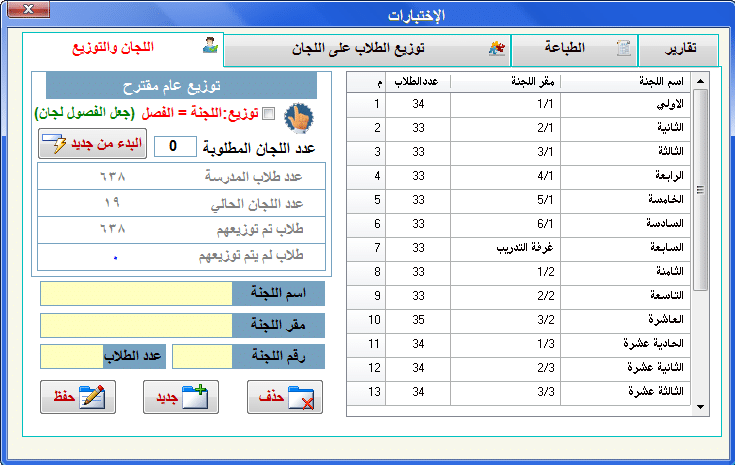
Exam control in one place
Prepares the whole of the exam work: seating students, setting up committees and seat numbers, printing stickers and call lists, and much more.
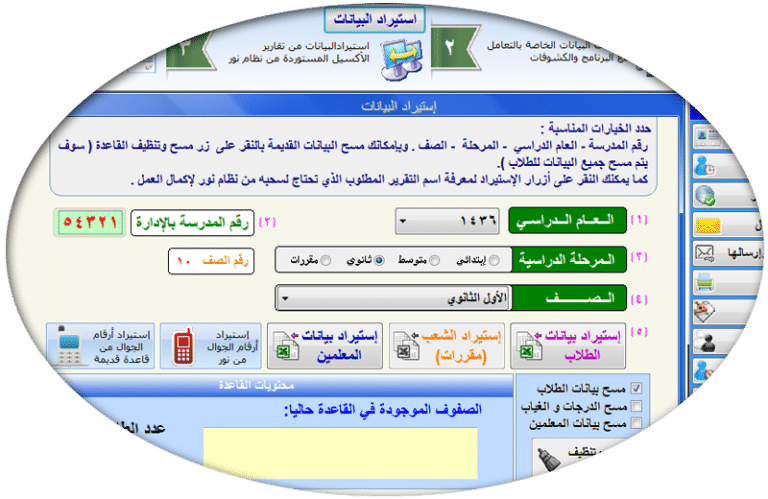
Import data from Noor
Imports what the school needs from Excel files exported from Noor:
- Student records.
- Teacher records.
- Contact numbers of students and teachers.
- Students' passwords.
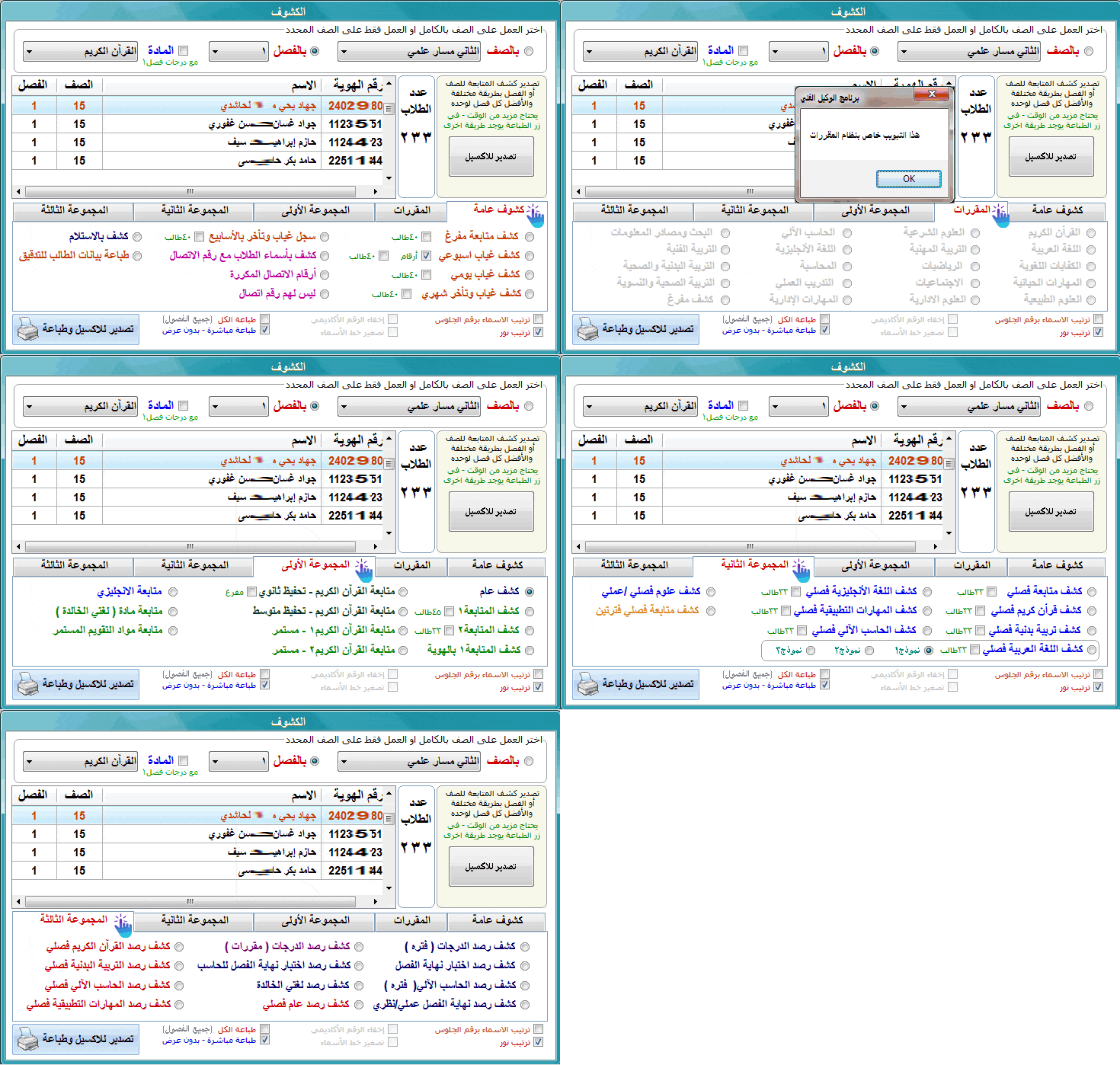
Follow-up sheets and more
Prints student follow-up sheets for teachers and everything the administration needs day to day, in groups that are easy to choose from. Primary-stage and skills sheets have a window of their own.
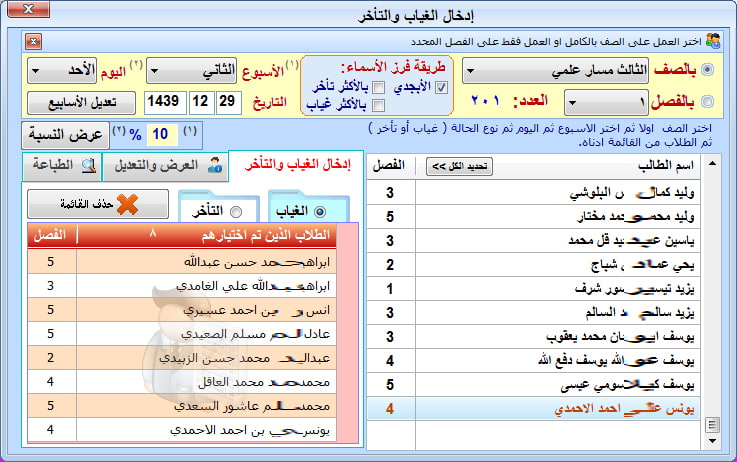
Absences and lateness
Follow daily absences and morning lateness smoothly, and print absence and lateness sheets, student follow-ups and pledges not to be absent again: everything daily attendance needs.
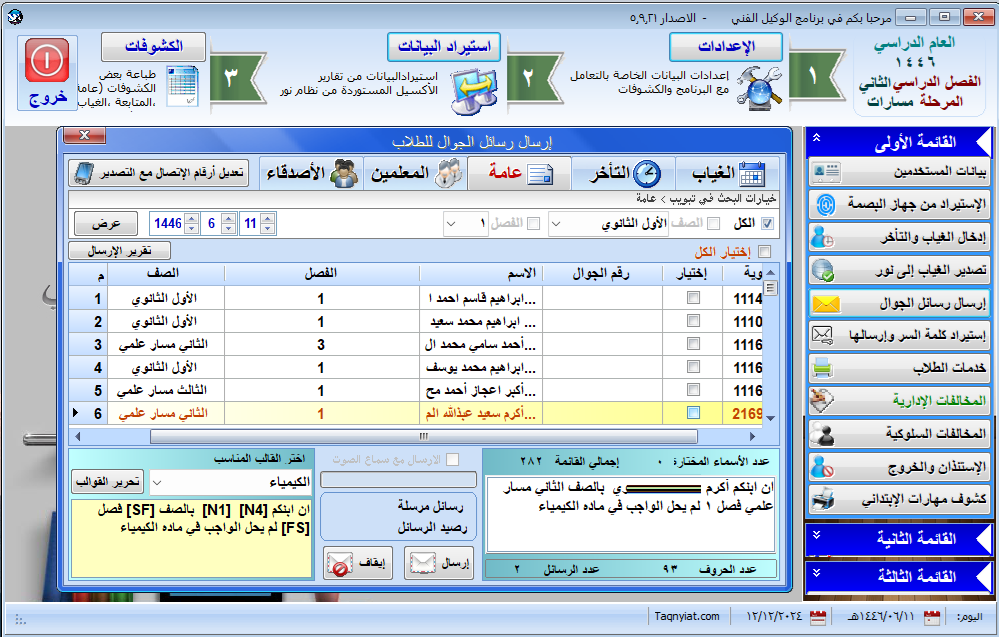
Absence, lateness and notice messages
Send absence, lateness and violation messages, general notices, seat and committee numbers, and passwords to students and teachers, easily and reliably.
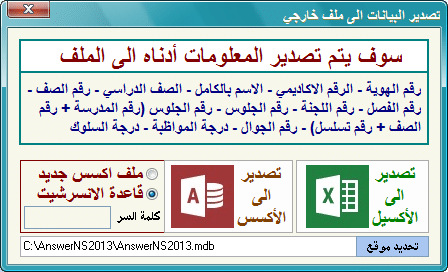
Export to automatic marking
Exports all the marking data to the marking programs: ID number, full name, grade, grade number, class number, committee number, seat number (alone or with the grade or school number), sequence, mobile number and behaviour grade, to an Excel file or a database table.
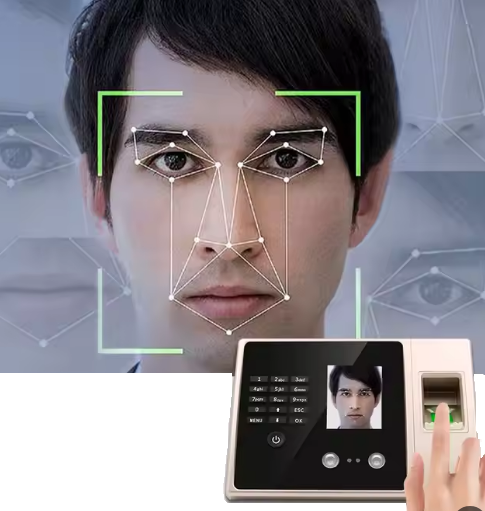
Face or fingerprint attendance
Record student absence or lateness with face or fingerprint devices, add as many devices as you like at no charge once you have the service licence, then send absence or lateness messages.
And much more, including
- Import students' passwords from Noor and send them by text message.
- Student services: print enrolment letters offline, and letters and referrals to the deputy, the counsellor or the hospital.
- Record and follow behaviour violations.
- Print administrative letters for school staff.
- Record and follow permissions and early leave.
- Print skills sheets for the primary stage.
- Prepare exam committees, and print stickers and call lists.
- Export student records to the Maarif database and import them from it.
- Export students' mobile numbers for use in other programs or sites.
Common questions
How many licences does the price include? Do they expire? When would I lose mine?
The price includes one licence for one computer, one school and one stage. A licence does not expire: it lasts for the life of your computer. It is lost if the licensed computer changes, or its processor, motherboard or hard disk changes, and on some computers its memory or network card too.
How do I activate two schools on one computer?
Ask for an extra licence for the second school with a different mobile number, and install it in a different folder from the first school, for example one on drive C and the other on drive D.
Do I lose the licence if the computer is formatted? How do I activate it again?
No, the licence stays valid. Download the latest version from the program's page; when the activation window appears after you run it, enter the mobile number and the licence is activated on your computer automatically.
How is the program supported? Is support free?
Tell us about the problem on WhatsApp or through the customer service page. Support is free, and we will help you solve it as quickly as we can.
I do not know how to set the program up. Can you help? Do you serve girls' schools?
Yes. On the customer service page, choose the kind of help that suits your needs and budget. The program works in boys' and girls' schools, and support is open to all.
How do I update the program?
Download the latest version from the program's page and install it over the version on your computer. Close the program first; better still, restart the computer and then install the newer version. Updating from inside the program is coming.
I have ideas and sheets I would like the program to support. How do I send them?
We welcome anything that makes work in schools easier and better. Write to us through the customer service page or on WhatsApp at 0541444708, and look for it in the coming releases.